mautic-cli: give your AI agent hands in Mautic
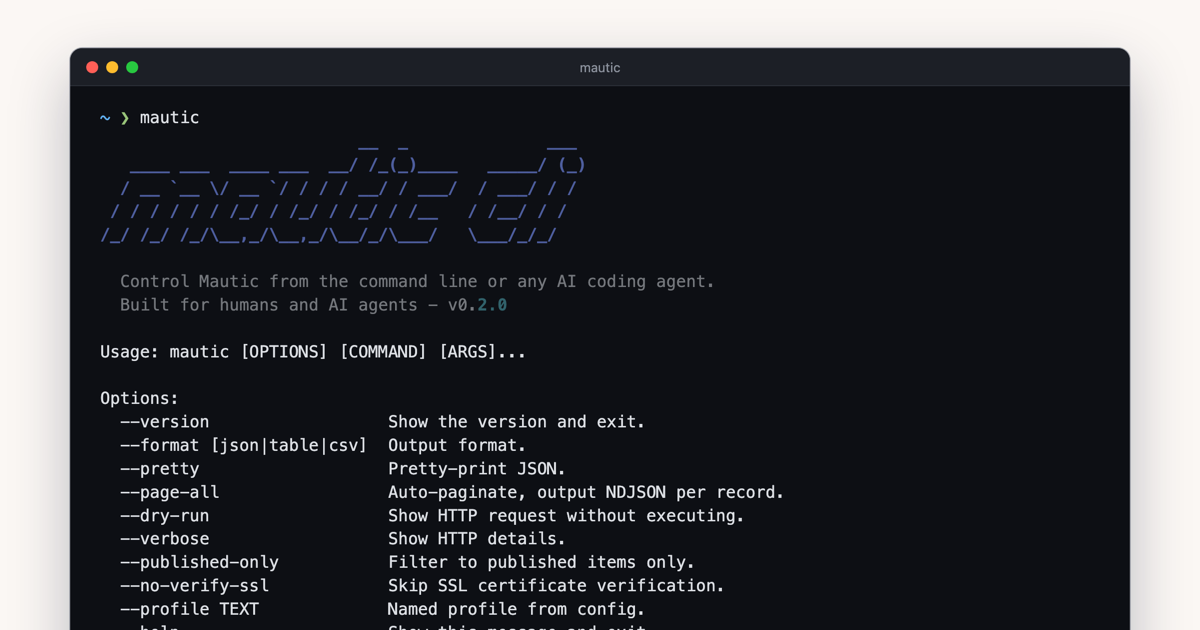
Claude Code, Codex and Cursor already read your code, run your tests and open pull requests. Ask one of them how this morning's newsletter did, or to fix a label on a signup form, and it stalls: Mautic sits behind a web interface and a REST API the agent would have to learn from nothing, one curl call at a time.
mautic-cli closes that gap. It is a command-line client for the Mautic REST API, paired with a skill that teaches coding agents how to use it, so the agent works in Mautic the way it already works in your repository: it runs a command, reads the output and checks the result. It is open source under the MIT licence, published on PyPI, and we use it on the Mautic instances we run.
What you can ask for
Once the skill is installed, you talk to the agent about Mautic in plain language and it picks the commands:
- "How did email 296 do since it went out?" The agent queries the
email_statstable for that email and tells you who received it and who opened it. - "Export everyone in the VIP segment to CSV."
- "Change the label of the email field on form 4, and show me the change before you send it."
- "The popup is cut off on mobile. Fix its CSS and tell me how many views and clicks it has had since Monday."
- "Create a Company Size field and a webhook for new contacts on staging, then do the same on production."
- "Add a note to contact 42: called, no answer."
Everything the agent does is a command you can read in its transcript and run again yourself.
Why a CLI and not an MCP server
Coding agents already have a shell, so a CLI needs nothing else: no server process to keep alive and no client configuration. The skill loads only when the conversation turns to Mautic, and the rest of the time it costs the agent nothing.
The shell also keeps large data out of the agent's context. With --page-all, every contact streams out as one JSON line, and the agent pipes that through jq or into a file and reads only the answer, not a hundred thousand records. People get the same commands with --format table.
If your agent has no shell, a chat app in the browser for instance, an MCP server is the better fit, and the community has published several for Mautic.
Edits the agent can check
Mautic's API documentation describes PATCH as a partial update that changes only what the request sends. It is not partial for every field. On a form, a PATCH without postAction resets it to return, so visitors who submit stay on the form instead of reaching the thank-you page, and a field sent on its own is renumbered to the top of the form. We found out when an agent changed one label on a production form.
Since 0.2.0, forms edit and focus edit read the item first, merge the change into it, send the complete item and report what changed, from a GET before and a GET after. Two extra keys let the agent check its own work: unexpected lists what the server changed without being asked, and not_applied what it was asked to change and did not, usually a misspelt key. The skill tells the agent to stop and report anything under unexpected before doing anything else, and to run --dry-run first so you see the change before it is sent.
Guardrails
An agent with hands can also break things. Three things limit what it can do:
- The agent never handles your password. The skill tells it to ask you to run
mautic auth setupyourself, which prompts for the secret with hidden input. - Mautic's API checks the authenticated user's role before it creates, edits, publishes or deletes anything. Give the agent its own Mautic user, with a role that allows only what it needs.
- Profiles keep instances apart. The agent works on
--profile staginguntil you tell it otherwise.
The skill also carries traps we verified on Mautic 7 that the documentation does not mention, such as choice fields whose options do not render unless syncList is set. The agent reads them before it needs them, instead of rediscovering them on your production form.
What it does not do
Designing emails and building campaigns stays in Mautic's builders; the CLI creates and edits them as JSON. emails edit is still a plain PATCH, and Mautic replaces an email's dynamic content with its placeholder whenever a PATCH leaves dynamicContent out (reported as mautic/mautic#17850, with a fix in #17851), so the skill tells the agent to copy it from the current email into every edit. Page writes are not covered yet. The current release was verified against Mautic 7.1, and campaign cloning needs Mautic 7.
Getting started
mautic-cli runs on your machine and talks to Mautic over HTTPS, so nothing is installed on the server. Enable the API in Mautic's settings, with Basic Auth or OAuth2, then install the CLI and connect it:
uv tool install mautic-cli
mautic auth setup
Then add the skill to your agent and ask it to list your Mautic contacts:
npx skills add bloomidea/mautic-cliThe code is on GitHub and the package on PyPI. It is one of the bridges we wrote about in Drupal is good for AI use and hard for AI build: the agent stays on the side it handles well, and the bridge absorbs the platform. Issues and pull requests are welcome.